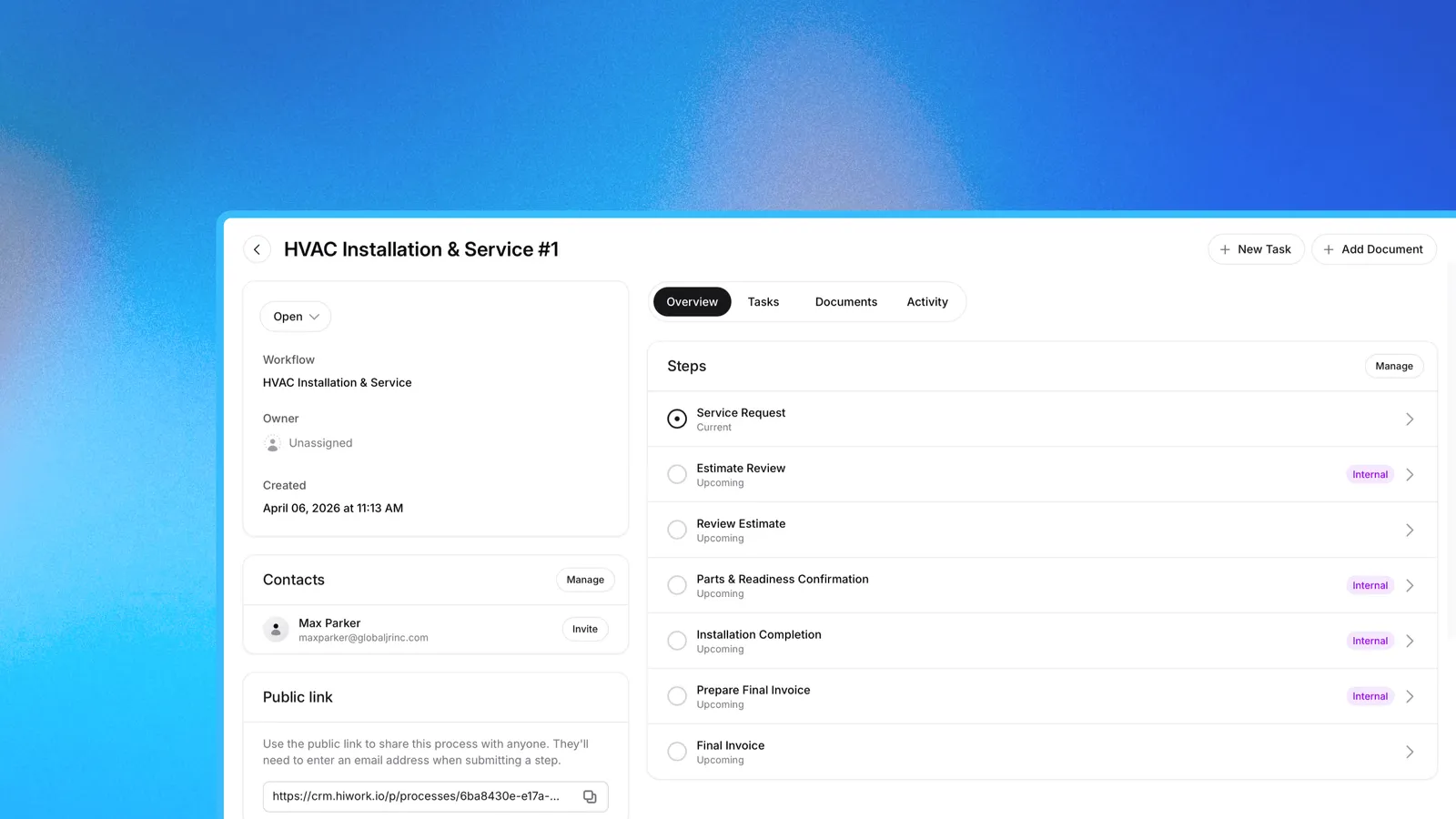
Approval workflow software makes sure each step of a job is done in the right order, with the right files, before the next one starts. The right person checks each step and either says yes or sends it back. Every file, answer and decision stays saved with a name and a date, so the full history of each job is there to look back on later.
Most small teams still run this by email, which works until there are several jobs at once. Files arrive as attachments in different threads, and some never get saved. A yes from a client sits in one person’s inbox, where the rest of the team cannot see it. Nobody can say which step each job has reached, so one reminder goes out twice and another never goes out at all. Months later, when someone needs to know what was sent or agreed, the answer is spread across several inboxes.
How an approval workflow works
An approval workflow is the list of steps a job goes through. You set it up once and use it again for every client, candidate or project. Each step asks for something, like a file, a form or a typed name. One person is in charge of each step. When they say yes, the job moves on. When they send it back, it goes back with a note on what to fix.
Some steps are only for your team, like checking a price or reviewing an interview. Others are for the client, who opens a secure link and does their part. Clients can see how far along they are in the client portal. They do not see your team’s notes.
Four examples of approval workflows
Each example below comes from a Lattney template.
A client approves a renovation proposal
In the renovation workflow, the team writes down the scope and adds the first proposal. Someone on the team then checks the cost before the client sees it. Next, the client reads the proposal and types their full name to approve it. Only then does the job get a start date. At the end, the team adds the final paperwork and closes the job.
The client’s yes is saved next to the exact proposal they approved.
A hiring team approves a candidate before the offer
The hiring workflow has two points where someone has to say yes. The first comes after the application arrives. A yes moves the candidate to an interview, and a no sends them a rejection message. The second comes after the interview. A yes there means the team sends the offer, and the candidate sees it on their own page.
Each review has one person in charge, so a candidate does not wait while two managers each think the other one is deciding.
A team checks documents, then approves them or asks again
In the Document Intake workflow, a client uploads their files through a secure link. Someone on the team looks at them. If the files are right, they approve them. If a page is missing or a photo is blurry, they send the files back and write why. The client gets a notification, opens the same link and uploads the right files.
The written reason can be made required, so a client always knows what to fix.
Client onboarding, with a check before work starts
The client onboarding workflow goes back and forth between the client and the team. The client fills in their details. The team holds a first meeting. The client sends their goals and documents. The team sets up the account and the start date, then welcomes the client. Each step needs a yes before the next one opens, so the start date and the plan are agreed before any work begins. If a client step is sent back, the client redoes it.
Why teams switch to approval software
Everyone can see what is waiting
A spreadsheet only shows what someone last typed in, and an inbox shows nothing at all. Approval software shows which step each job is on and who is in charge of it, so a job that is stuck is easy to spot.
The next step starts on its own
When someone says yes, the next step opens straight away. Nobody has to remember to pass the work along.
Every yes and no is saved
Who approved the proposal, why the documents were sent back, and what the candidate was offered are all saved as the work happens. When a client has a question or a colleague takes over, the answer is already there.
Every client goes through the same steps
When the steps live in one person’s head, each new hire learns a slightly different version. A template keeps the steps the same for every client. Change the template once and the next client gets the new version.
What to look for in approval process software
Big approval process software is often built for an IT team to set up. A small team needs less. Look for these:
- A yes moves the job forward and a no sends it back, without anyone updating a status by hand.
- A written reason when something is sent back, so the person knows what to change.
- Client steps done through a secure link, with a notification when something is approved or sent back.
- A saved history of every decision, with a name and a date.
- Templates to start from, and steps you can change yourself.
How Lattney handles approvals
Lattney is a workflows and CRM platform. Approvals are part of its workflows. Each one is saved on the client’s page, next to their contact details, notes and files.
Start from one of the templates above, change the steps and the questions, or build your own for any job that needs a sign-off. Your team gets a notification when someone finishes a step, so nothing waits for whoever happens to check first.
If your approvals still happen in email, pick one job and run it through a workflow for a month. Start free with the 14-day trial.
Frequently asked questions
What is approval workflow software? It is software that makes sure each step of a job is done in the right order, with the right files, before the next one starts. The right person checks each step and either says yes or sends it back, and every file and decision stays saved as a history of the job.
Is approval workflow software only about getting approvals? No. It also keeps work moving in the right order, files everything for later, and makes sure each task gets done when it should. A step opens only after the one before it is finished, so nobody starts too early and nobody has to chase the next step. Every file and answer is saved on the client’s page, so the team can find it months later without searching an inbox.
How is approval workflow software different from project management software? Project management software tracks tasks and deadlines, and approval workflow software decides when work can move on. On a task board anyone can drag a card forward. In an approval workflow, the job only moves when the person in charge says yes.
Is approval workflow software the same as a CRM? No, but the two work well together. A CRM keeps each client’s contact details and history, and an approval workflow takes that client through the steps of a job. Lattney does both, so approvals are saved on the same page as the client.
What happens when someone sends a step back? The step goes back to be redone, or the job moves to a different next step. In Document Intake the client uploads again through the same link. In hiring, a candidate who is turned down gets a rejection message.
Do clients need an account to approve something? Not in Lattney, though some approval workflow software does ask clients to sign up first. In Lattney, clients open a secure link, do their step, and can check their progress in the client portal.
Does a small team need approval workflow software? Yes, once a job has more than one or two sign-offs, or more than one person who can approve. That is usually when approvals start getting lost in email.
How much does Lattney cost? Approval workflows start at $24 per user per month on the Business plan. Every plan starts with a 14-day free trial, with no credit card needed. Most teams learn to use Lattney in minutes, so there is no long setup project and no IT team to hire. See the full pricing.