CLIENT ONBOARDING
Every new client welcomed, onboarded, and on track
Bringing on a new client probably involves the same steps every time, but the information ends up scattered when there's no real process. Lattney gives your team a clear way to run it, with an onboarding template you can use right away and customize to your needs.

Project request
 Project request
Invoice approved
 Invoice approved
THE PROBLEM
Onboarding new clients can get messy real fast
Onboarding one client is easy. You know what they need, and you remember where everything is.
Ten at once is a different job. Each client needs different documents, sits at a different step, and waits on a different person. Their details are spread across email, a shared drive, a proposal tool, and someone's notebook.
So things slip. You chase the same document twice. A client signs and then hears nothing for two weeks. Nobody can say where each onboarding stands, or who is holding it up.
THE SOLUTION
When client onboarding runs on Lattney
Every new client gets a tracked onboarding. Every onboarding follows the same path.
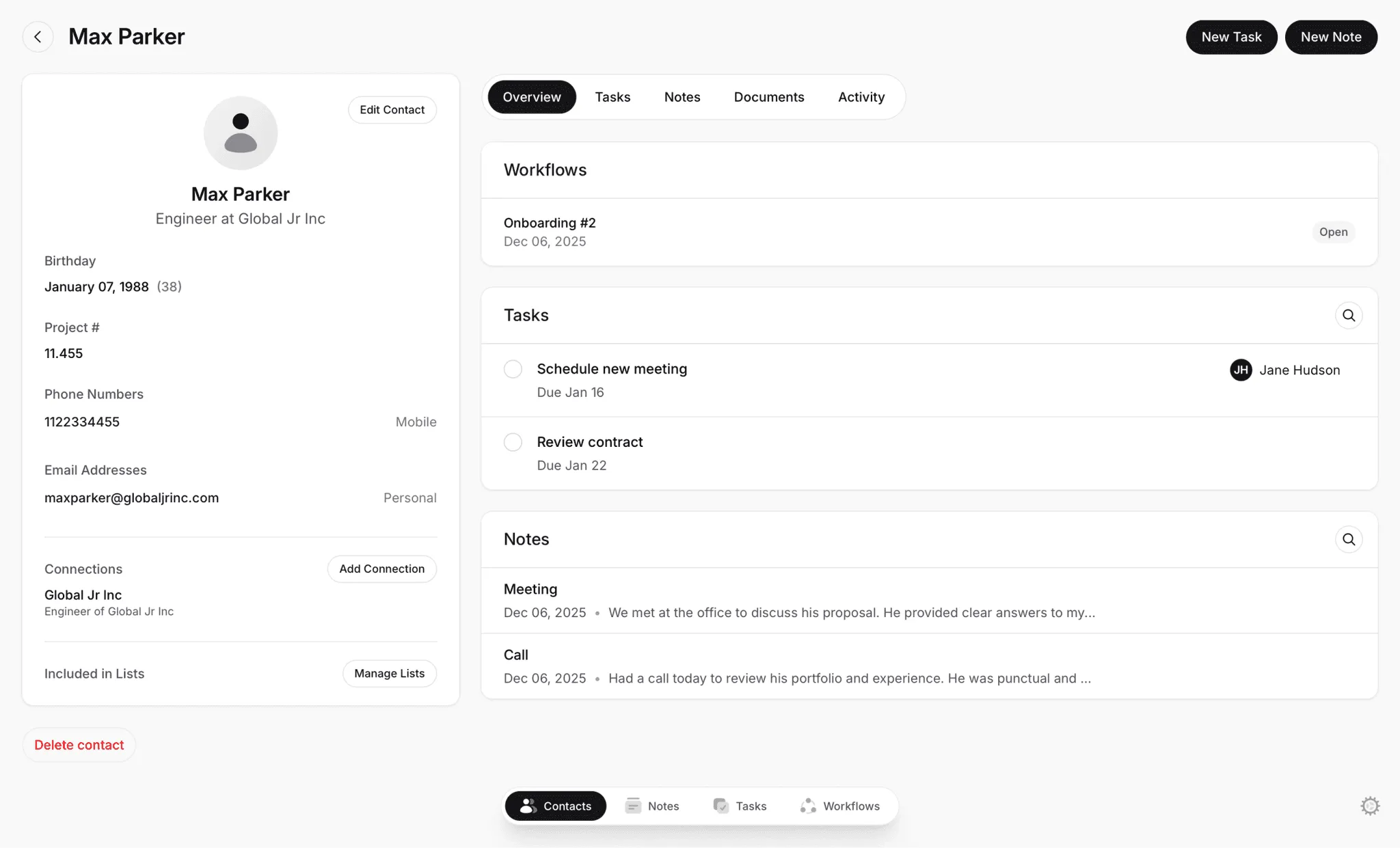
Every client's details are in one place
Call notes, goals, and documents live with the client's onboarding, not buried in an inbox.
Always know who owns the next step
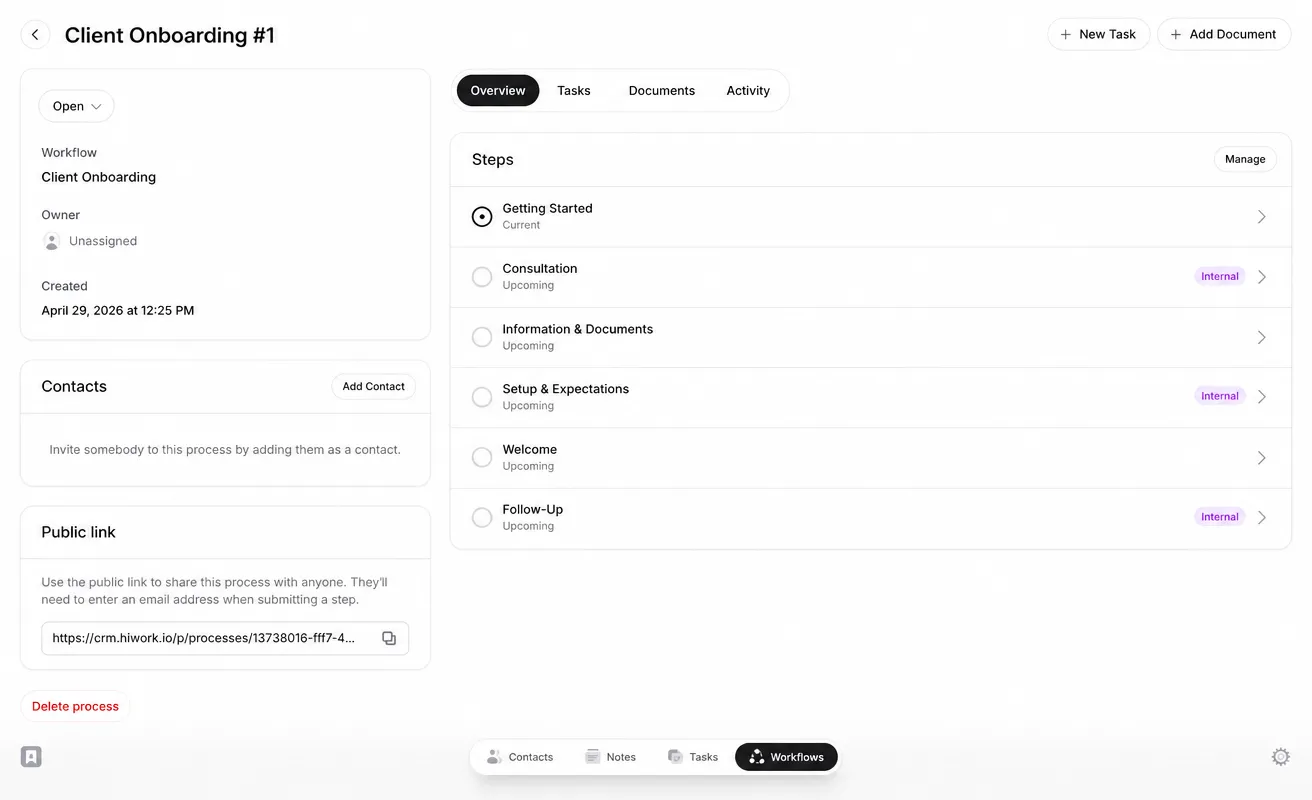
Each stage is clearly defined, so your team never has to guess where an onboarding stands.
Keep documents and sign-offs moving
Internal reviews and client approvals happen at defined checkpoints, not in a back-and-forth email chain.


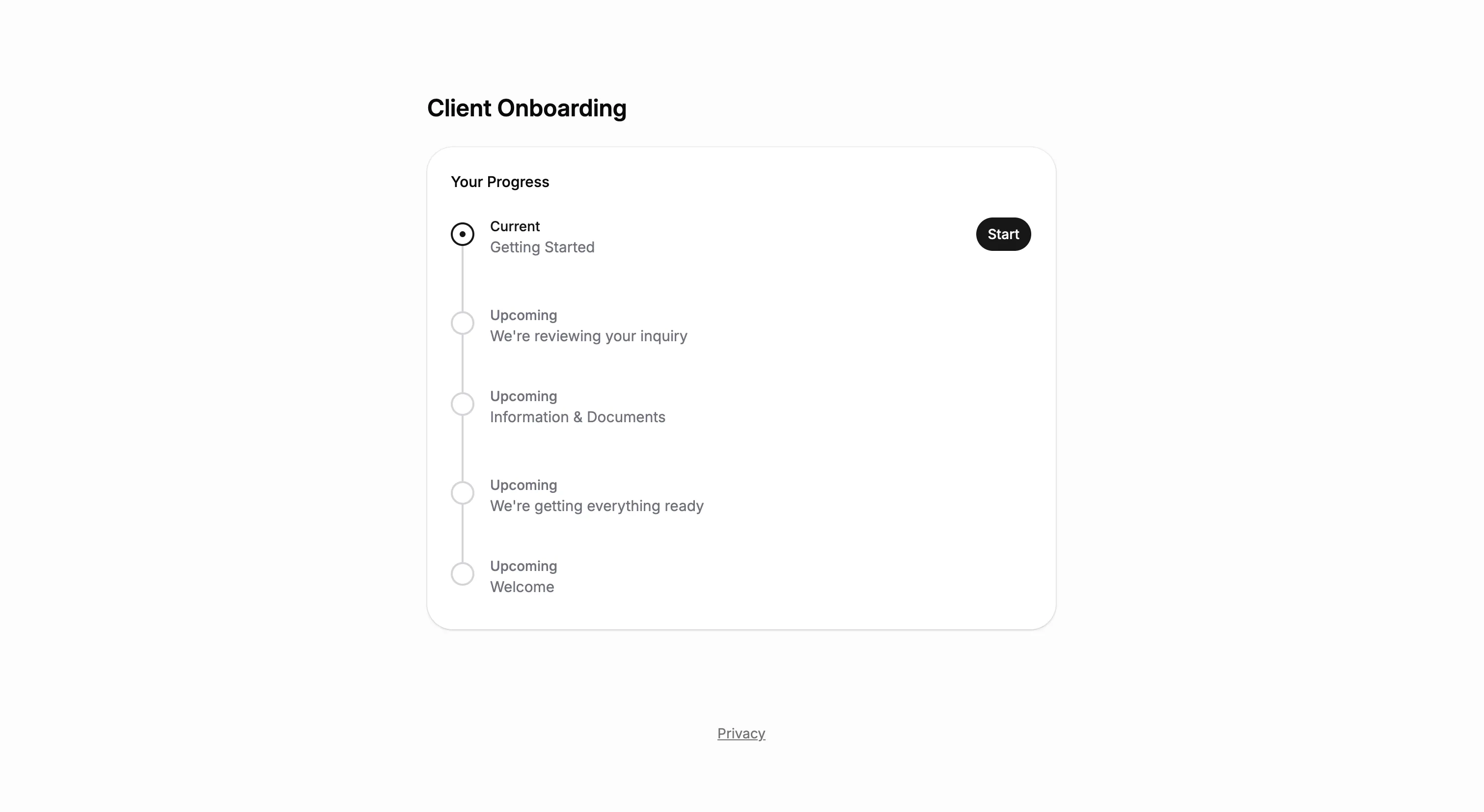
ONBOARDING TEMPLATE
Start with a ready-to-use onboarding workflow template
Lattney includes a Client Onboarding template you can use as-is, or adjust to match exactly how your team works. Each step has defined owners, custom fields to collect client details, and approval logic built in.
Use it as-is, add your own steps, or start from scratch.
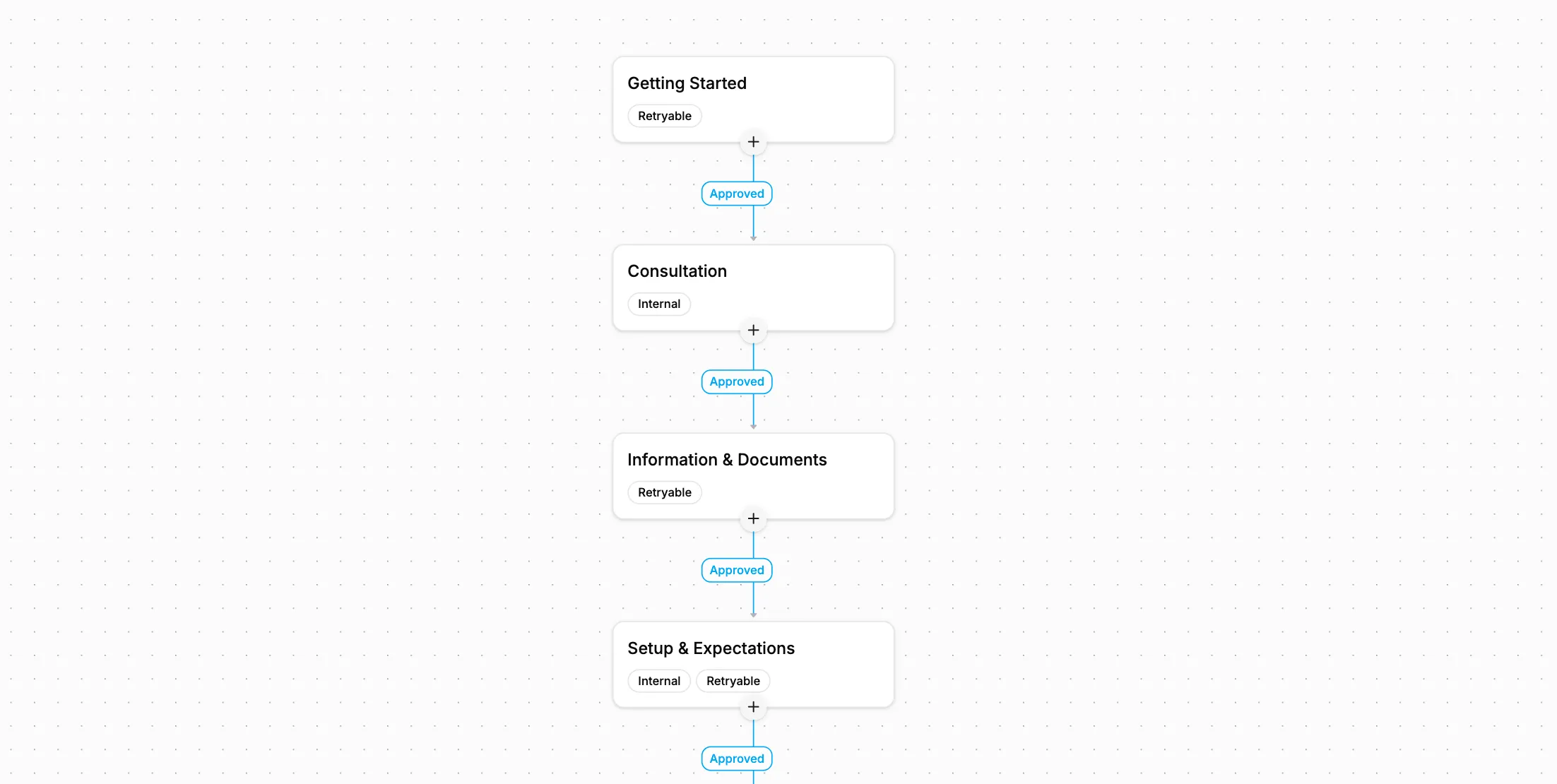
WORKFLOWS
Build the exact onboarding structure your team needs
The onboarding workflow is ready to use on day one. Add steps, change fields, or build something completely different. Lattney adapts to how your team works.
Use a template or start fresh
Start with a template, customize it to match your process, or build your own from the ground up.
Add fields and owners
Collect the information you need at each step. Define who's responsible for reviews and decisions.
Run processes with full visibility
Each onboarding moves through with full visibility. See status, history, and next actions at a glance.


PLATFORM
One platform. Any team size.
Client onboarding works the same way for a two-person studio and a company bringing on new clients every week. Start with one workflow, then add more for intake, renewals, or anything else with steps and approvals.

Build exactly what you need:
- Unlimited steps and transitions
- Custom fields per step (text, files, dropdowns, dates)
- Approve, reject, or route to different paths
- Internal steps and client-facing steps (visible in portal)
- Public links for external submissions
- Full audit trail of every action
WHY LATTNEY?
For teams of any size that bring on new clients
Lattney gives your team a structured way to onboard clients, so nothing stalls between the first call and the welcome.

Small teams
Onboard every client the same way without extra admin. See what each client still needs to send.

Growing teams
Hand an onboarding from one person to the next without losing context. Every step has an owner.

Large companies
Keep onboarding consistent across departments, with a record of who approved each step and when.
Private & Secure
Lattney is engineered with industry best practices. Security and privacy are a core feature.
- Your data is always encrypted
- Your data is always available just to you
FEATURES
What you get with Lattney's workflow
Client self-serve intake forms
Collect contact details and what the client needs before the first call, so every onboarding starts with the context your team needs.Keep approvals moving forward
Add review checkpoints after the consultation and during setup, so start dates and expectations get confirmed before work begins.Centralized client workspace
Consultation notes, goals, documents, and setup details all live next to the workflow steps and decisions.Progress tracking and client visibility
See where each onboarding stands and what's next, while clients check progress through the client portal.
FAQs
Frequently asked questions
Common questions about onboarding clients with Lattney.
What is Lattney?
Lattney is a workflow platform. It's built for teams that have outgrown spreadsheets and email threads but don't need complex enterprise software. You get structured steps, approvals, and visibility without the overhead.
Can I change the steps for different clients?
Yes. Create separate onboarding workflows for different services, client types, or teams. Each workflow has its own stages, required information, and approval steps.
Can clients send their details and documents themselves?
Yes. You can share a public link so clients fill in their details or upload documents directly. Their submission moves the onboarding to the next step automatically.
How do approvals work?
Each step can include approval logic. Reviewers approve a step or reject it with a reason, and a rejected client step goes back to the client to redo. Every decision is recorded, so you can see what happened and why.
Does Lattney replace my email or file storage?
No. Keep using your email and your file storage. Lattney adds structure around onboarding itself, from first contact to the welcome. Each client follows the same steps, information is captured as it comes in, and everything stays connected to that client from the first message to the first check-in.
Is Lattney only for client onboarding?
Client onboarding is just one example. Companies use Lattney to manage any process that involves moving people or information through steps, collecting documents, and getting approvals.
WORKFLOWS + CRM
One platform. All your workflows.
- No credit card required
- Fast and easy onboarding