HOME SERVICES RENOVATION
Every renovation scoped, scheduled, and documented
A renovation runs on details: what the job includes, what it costs, when it starts, and what the client agreed to. Lattney keeps all of it on one project record, with a renovation template you can use right away and customize to your needs.

Project request
 Project request
Invoice approved
 Invoice approved
THE PROBLEM
A renovation project has more details than anyone can hold
One project is easy to keep track of. You know the scope, the price, and the date you start. But with several running at once, each at a different stage, that gets harder to hold on to.
The details multiply too. The scope grows, the proposal gets a new version, the start date moves. The scope is in an email, the latest proposal in a shared folder, the dates in someone's calendar, the photos still on a phone.
That costs you time. Someone works from an old proposal, and the crew asks again when they are meant to turn up.
THE SOLUTION
When renovation projects run on Lattney
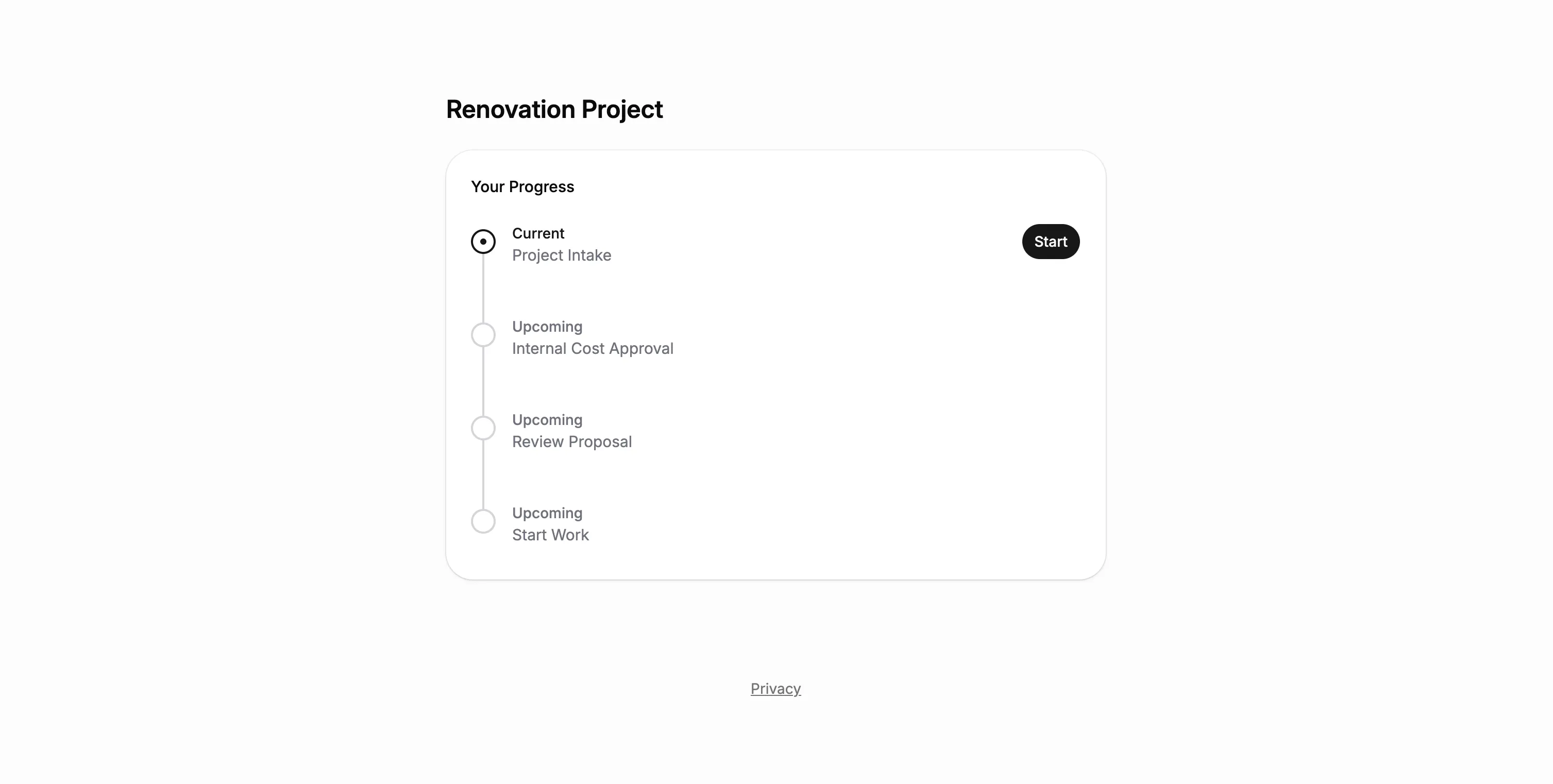
Every project follows the same path, from intake to final review, collecting what it needs on the way.
Every project detail in one place
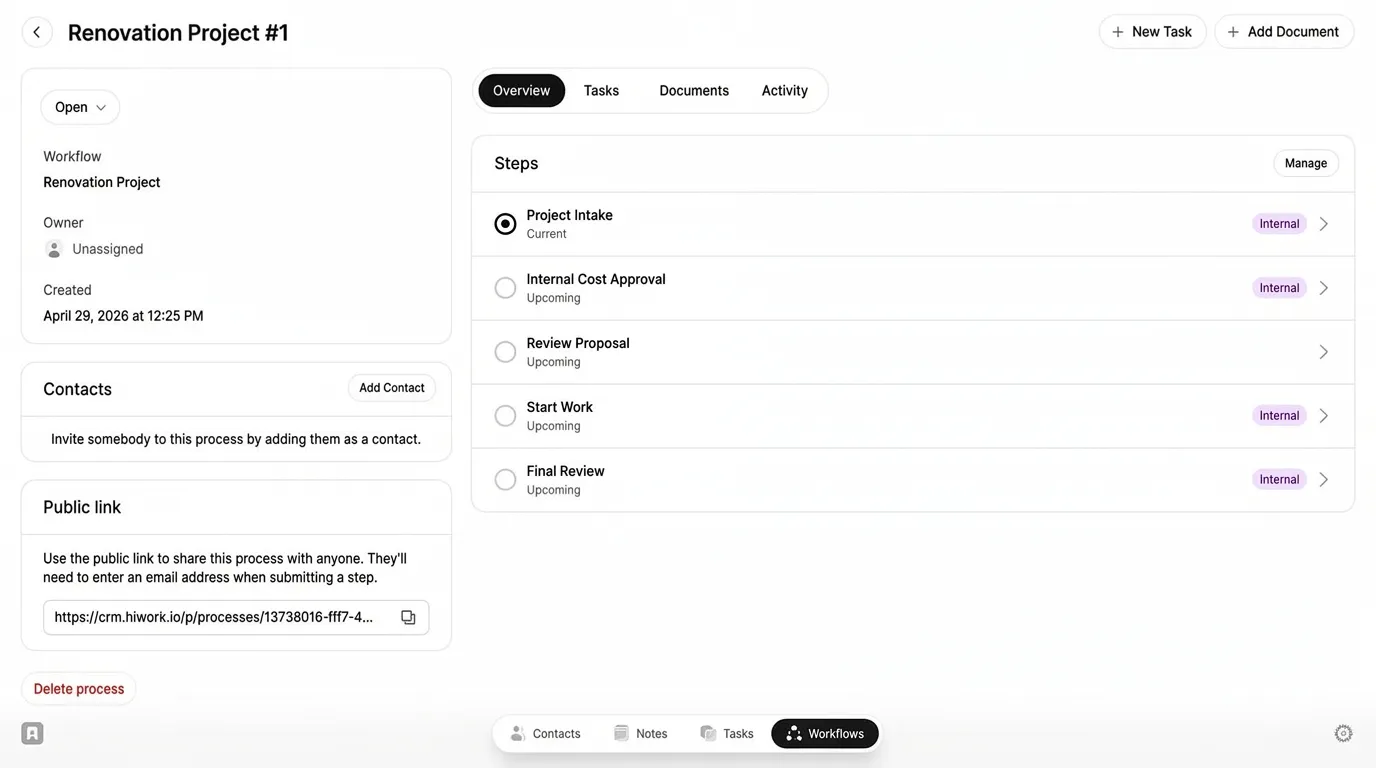
The scope, the proposal, the cost summary, the start date, and the final documentation all live on the project record.
Always know who owns the next step
Each stage is clearly defined, so your team never has to guess where a project stands.
Nothing moves on until it is written down
Each step asks for what it needs, so the detail gets captured while someone still remembers it.


RENOVATION TEMPLATE
Start with a ready-to-use renovation workflow template
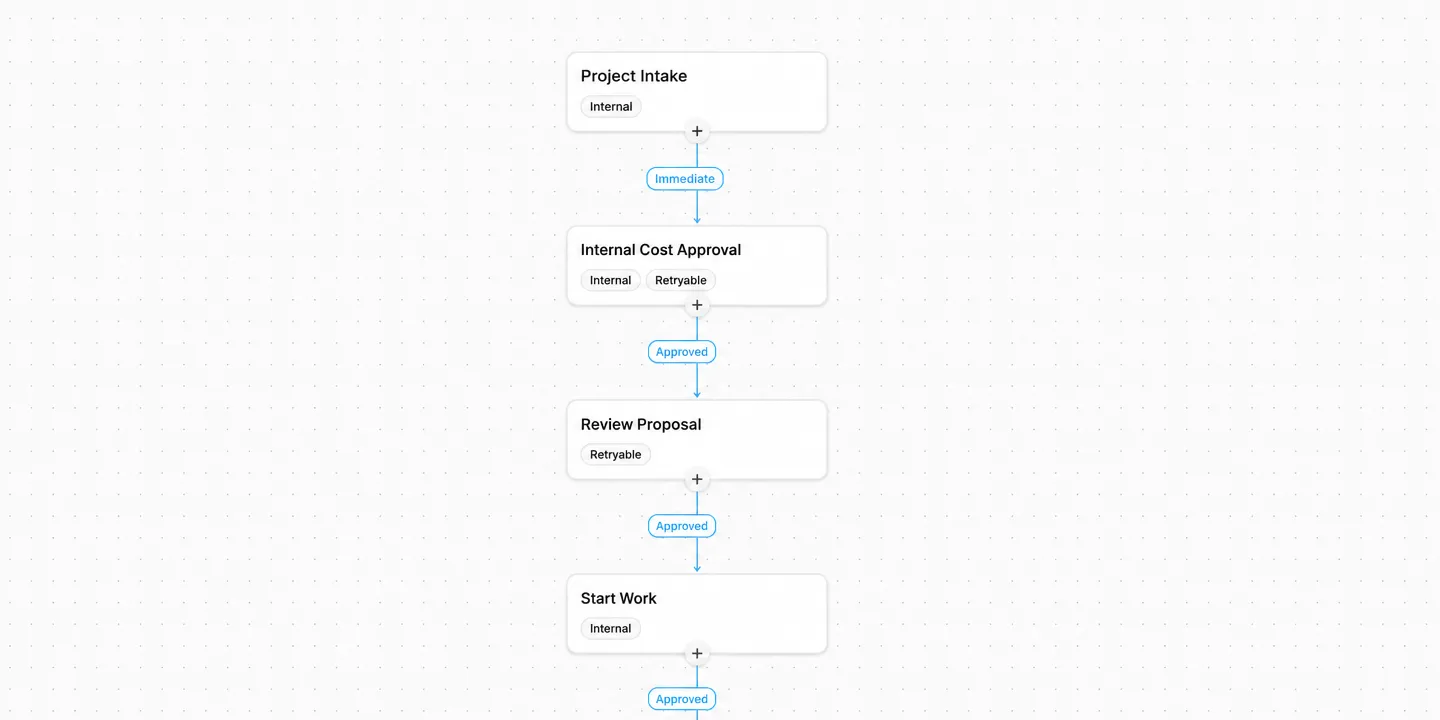
Lattney includes a Renovation Project template you can use as-is, or adjust to match exactly how your team works. Each step has defined owners, custom fields to collect project details, and approval logic built in.
Use it as-is, add your own steps, or start from scratch.
WORKFLOWS
Build the exact project structure your team needs
The renovation workflow is ready to use on day one. Add steps, change fields, or build something completely different. Lattney adapts to how your team works.
Use a template or start fresh
Start with a template, customize it to match your process, or build your own from the ground up.
Add fields and owners
Collect the information you need at each step. Define who's responsible for reviews and decisions.
Run projects with full visibility
Each project moves through with full visibility. See status, history, and next actions at a glance.


PLATFORM
One platform. Any team size.
Renovation work is one example. A two-person crew and a company running twenty jobs at once both need the same thing: one place where the details of each project live. Add more workflows later for service calls, warranty claims, or anything else with steps and approvals.

Build exactly what you need:
- Unlimited steps and transitions
- Custom fields per step (text, files, dropdowns, dates)
- Approve, reject, or route to different paths
- Internal steps and client-facing steps (visible in portal)
- Public links for external submissions
- Full audit trail of every action
WHY LATTNEY?
For teams of any size that run renovation projects
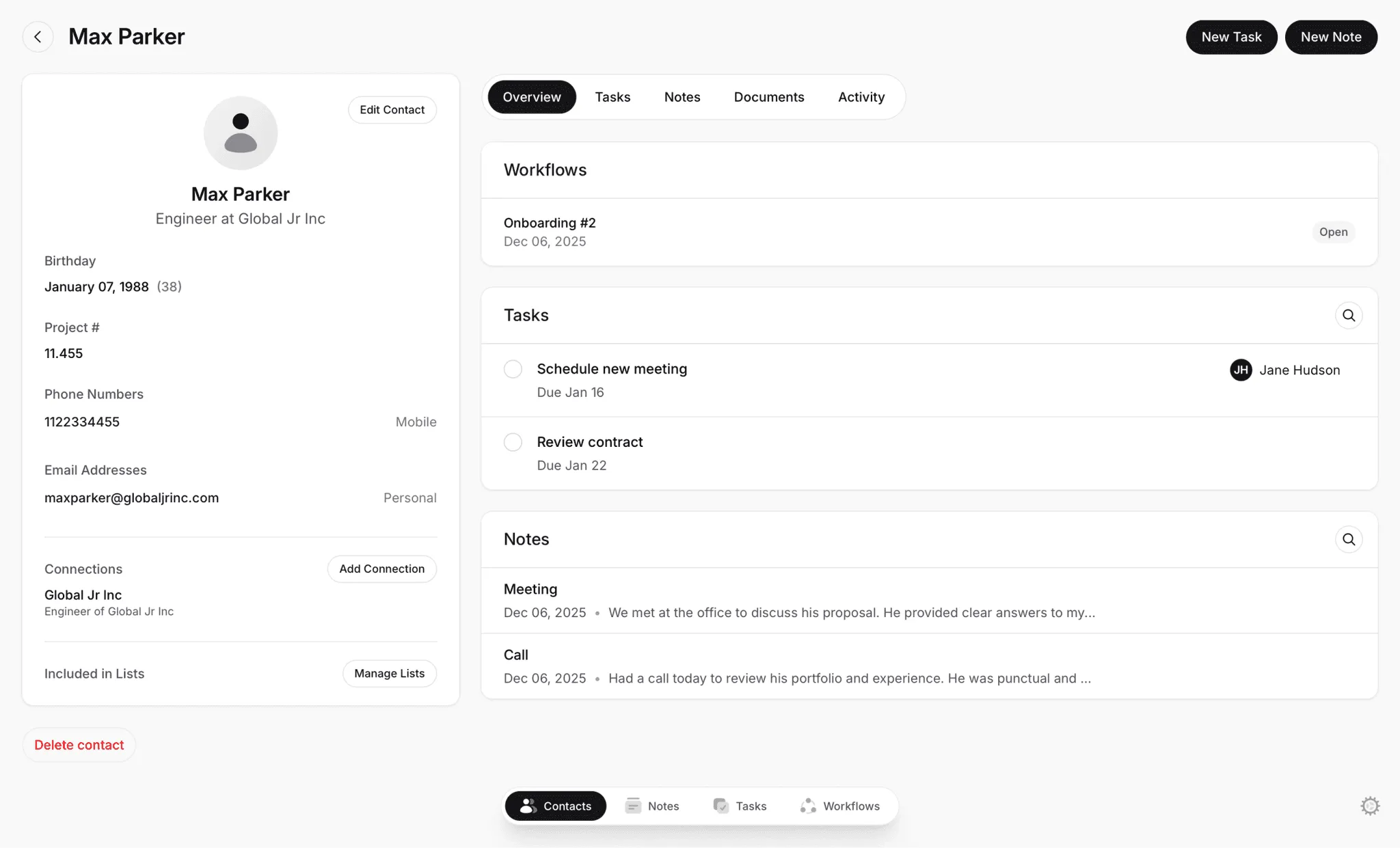
Lattney gives your team a structured way to run projects, so the scope, the price, the dates, and the paperwork all stay with the job.

Small crews
Record the scope and the photos while you are still on site. See what each project is missing.

Growing teams
Hand a project from the estimator to the crew lead without losing context. Every step has an owner.

Large contractors
Document every project the same way across crews, with a record of who reviewed what and when.
Private & Secure
Lattney is engineered with industry best practices. Security and privacy are a core feature.
- Your data is always encrypted
- Your data is always available just to you
FEATURES
What you get with Lattney's workflow
Collect the details at each step
Every step asks for the information it needs: the scope summary, the cost, the start date, the final documentation.Client approval in writing
The client reads the proposal and types their name to approve it. The record shows what they agreed to and when.Centralized project workspace
Proposals, cost summaries, and final documentation live next to the workflow steps and decisions.Progress tracking and client visibility
See where each project stands and what's next, while clients follow progress through the client portal.
FAQs
Frequently asked questions
Common questions about running renovation projects on Lattney.
What is Lattney?
Lattney is a workflow platform. It's built for teams that have outgrown spreadsheets and group chats but don't need complex enterprise software. You get structured steps, approvals, and visibility without the overhead.
Can I change the steps for different kinds of work?
Yes. Create separate workflows for renovations, service calls, or warranty work. Each workflow has its own stages, required information, and approval steps.
What details does the template collect?
The scope summary and the proposal at intake, the cost review inside your team, the client's approval, the start date, and the final documentation at the end. Add your own fields wherever you need them.
How do approvals work?
Each step can include approval logic. Reviewers approve a step or reject it with a reason, and a rejected step reopens for whoever has to redo it. Every decision is recorded, so you can see what happened and why.
Does Lattney replace my estimating software?
No. Keep using the tools you price and schedule with. Lattney holds the project itself: the scope, the proposal, who reviewed it, what the client agreed to, the start date, and the final documentation. It all stays with the job from first scope to handover.
Is Lattney only for renovation work?
Renovation is one example. Lattney also has workflows for other trades and field service teams, like HVAC and landscaping. Companies use Lattney to manage any process that involves moving people or information through steps, collecting documents, and getting approvals.
WORKFLOWS + CRM
One platform. All your workflows.
- No credit card required
- Fast and easy onboarding