DOCUMENT COLLECTION
Stop chasing clients for documents. Keep them all in one place.
Stop searching inboxes and folders for what a client sent you. Lattney keeps every document on your client's record, with their contact details, notes and tasks. Our Document Intake workflow is ready to use in minutes.

Files uploaded
 Files uploaded
Upload approved
 Upload approved
THE PROBLEM
Documents arrive by email and end up everywhere
Collecting documents from one client is easy. You remember what you asked for and what came in.
A full client list is a different job. Files arrive as email attachments, then move to a shared drive, a desktop folder, or nowhere. The client's phone number and your notes sit in another tool again.
So things slip. Nobody can say which client still owes you a document. You ask for a file you already have, and a wrong one goes unnoticed until the day you need it.
THE SOLUTION
When document collection runs on Lattney
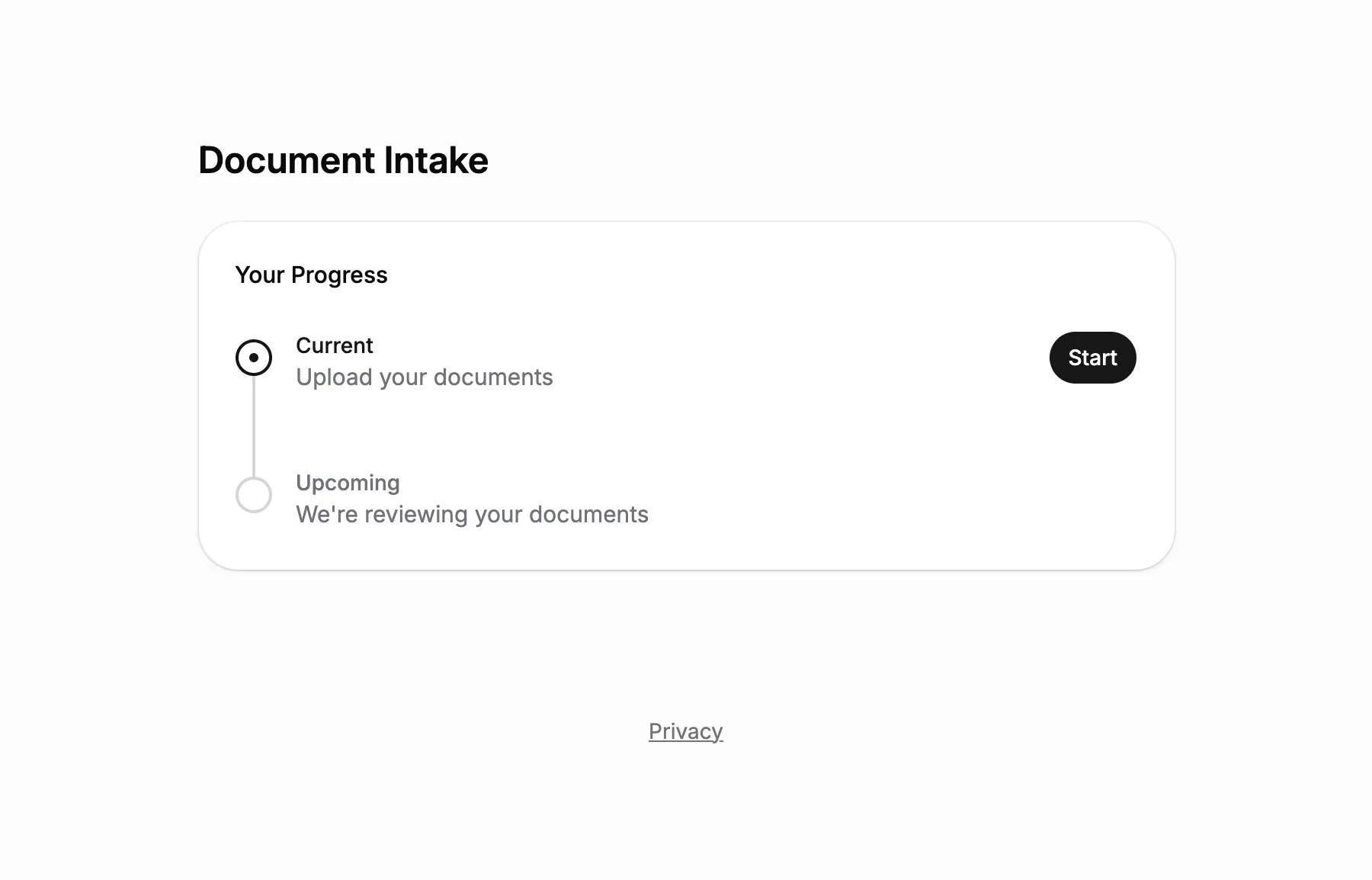
Three steps for every client: you share the client portal link, they upload, you review.
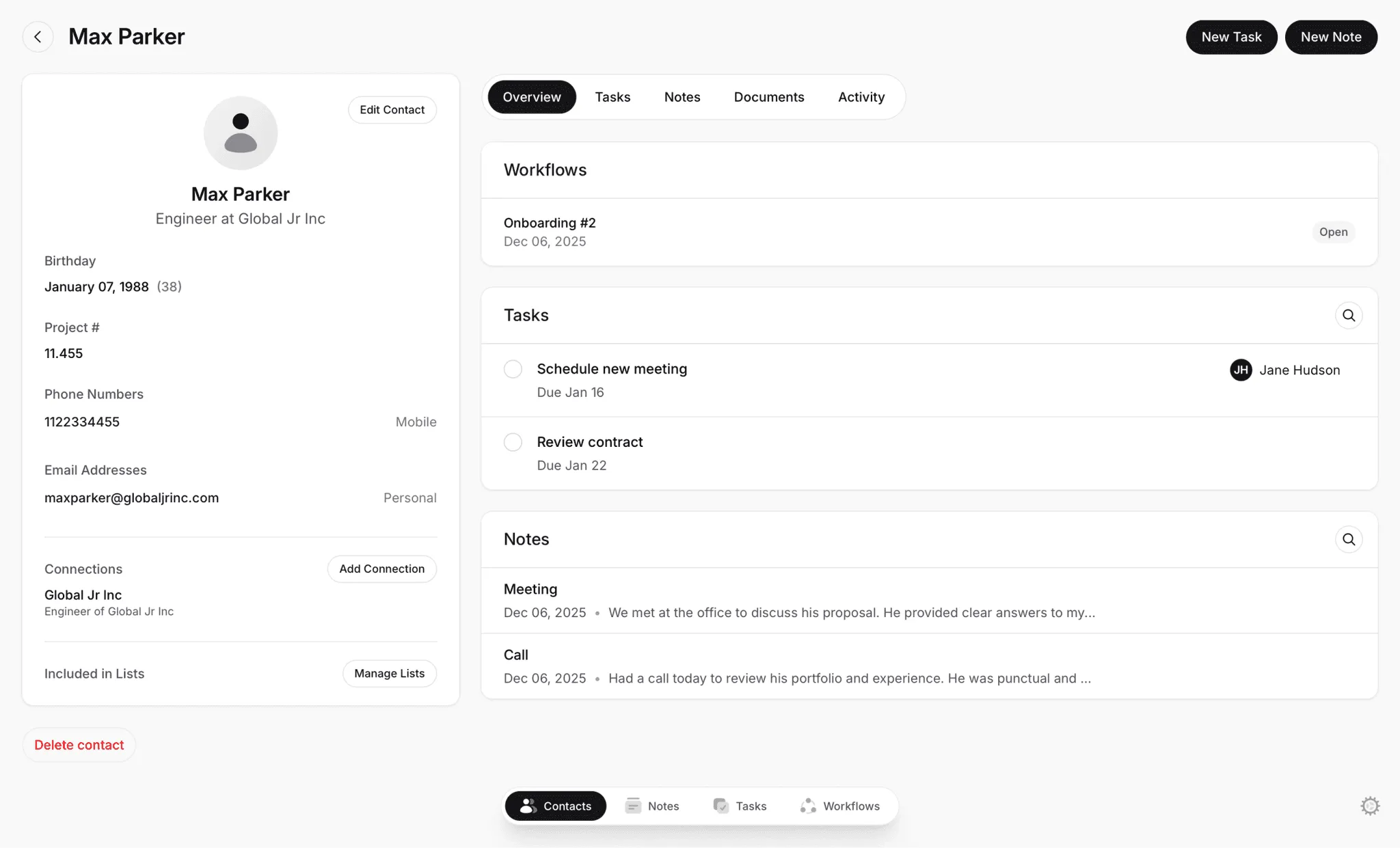
Keep documents with the client's details
The files, your notes and your tasks all stay with the client's contact.
Let clients upload through a secure link
You send each client their own private link, with no account to create or password to remember.
Approve an upload or send it back
Reject a file with a written reason. The client is notified and can upload again.


DOCUMENT INTAKE TEMPLATE
Start with a ready-to-use Document Intake template
Lattney includes a Document Intake template that covers the whole process. Your client receives a secure link and uploads their documents. Your team reviews them, then approves or sends them back.
It's set up in minutes, and you can customize every step.
WORKFLOWS
Document workflow management that fits your process
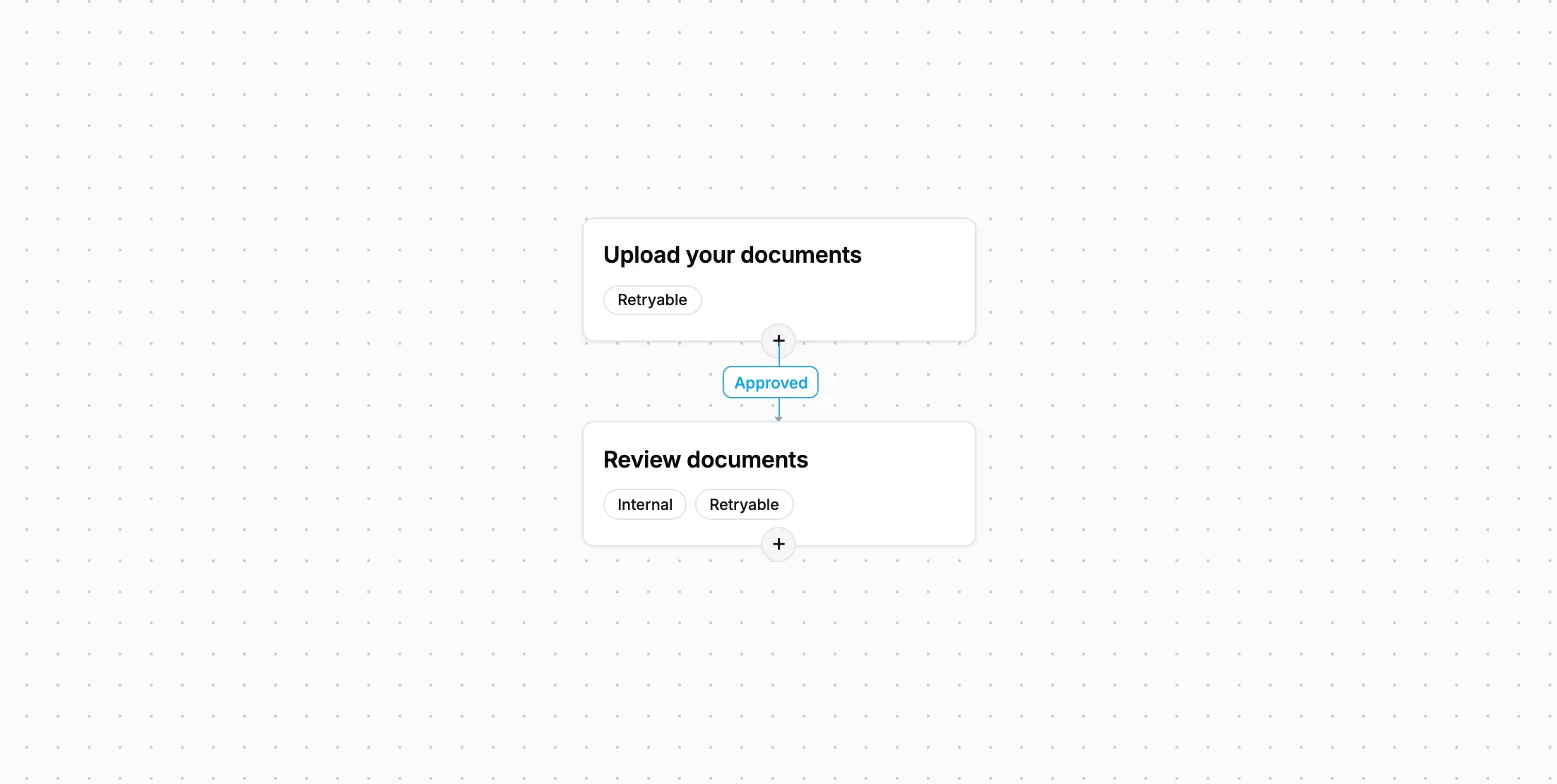
The template works on day one. Add team-only steps or instructions for the client, and your document workflow follows the way you already work.
Use the template or start fresh
Start from the Document Intake template, change it, or build a different workflow from scratch.
Collect more than files
Add questions to the form, like a date, a short answer or a dropdown. Choose who on your team is responsible for each client.
Keep a full record
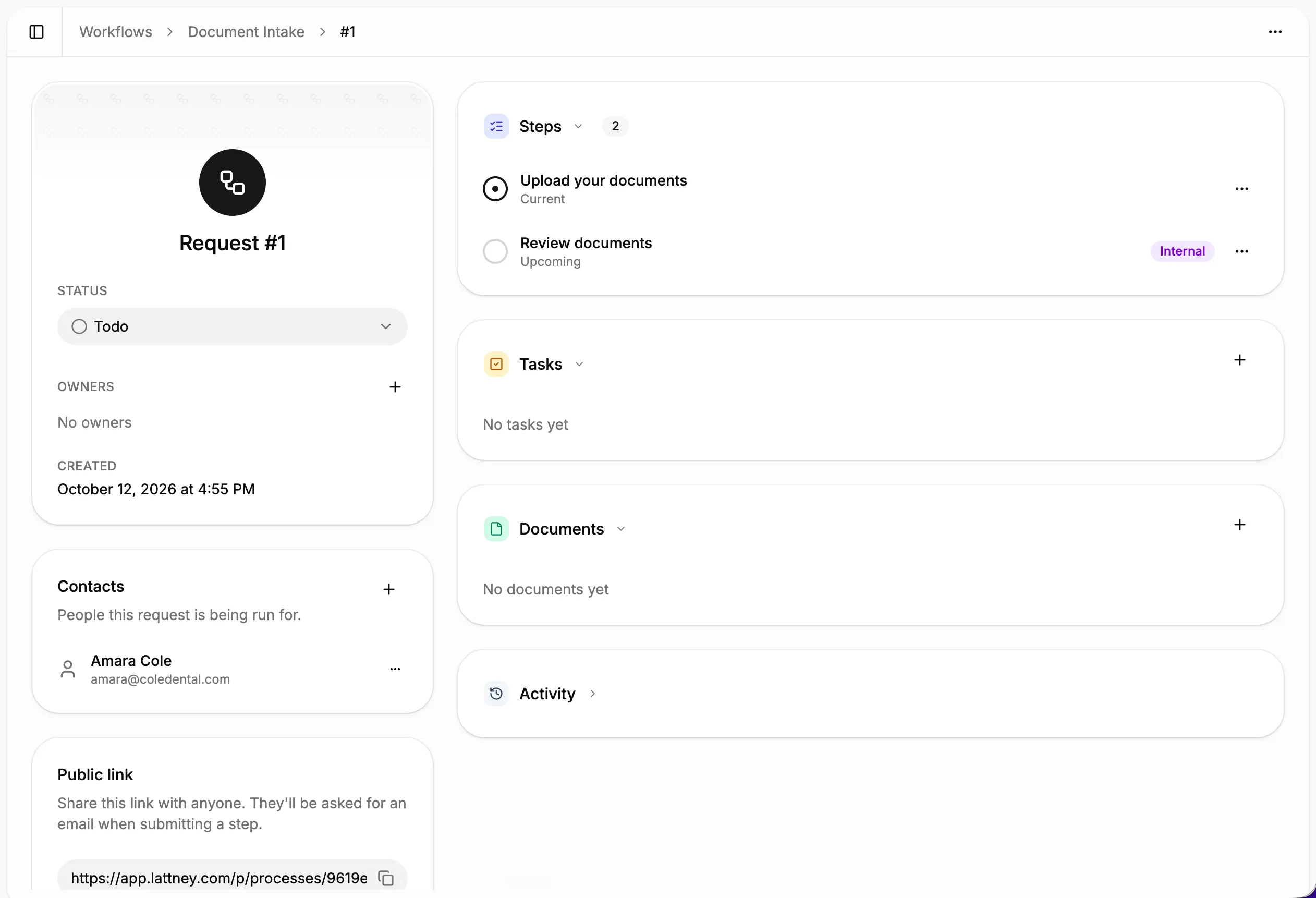
Lattney records every upload, approval and rejection, with who did it and when. Look back at a client's history any time.


PLATFORM
One platform. Any team size.
Collecting documents works the same way for one person and for a team with many clients. Start with Document Intake, then add workflows for other processes that have steps and approvals.

Build exactly what you need:
- Unlimited steps and transitions
- Custom fields per step (text, files, dropdowns, dates)
- Approve, reject, or route to different paths
- Internal steps and client-facing steps (visible in portal)
- Public links for external submissions
- Full audit trail of every action
WHY LATTNEY?
For anyone who collects documents from clients
Simple document collection for one person, a small business or a growing team.

Personal use
Ask someone for documents with a link, and find each file later on their record.

Small business
Everyone on the team is notified when a client submits, so an upload never waits on one person.

Medium business
Assign each client to a team member, with a record of who approved every upload.
Private & Secure
Lattney is engineered with industry best practices. Security and privacy are a core feature.
- Your data is always encrypted
- Your data is always available just to you
FEATURES
What you get with Lattney's workflow
A secure link for every client
Send each client their own private link to upload their files, any way you like.An approval or a rejection with a reason
You can require a written reason for every rejection, so the client knows what to fix before sending again.One record for each client
Files, notes and tasks stay with the client's contact, along with any custom details you keep.A status for every client
See the step each client has reached, so you can tell an upload you're waiting on from one you need to review.
FAQs
Frequently asked questions
Common questions about collecting documents with Lattney.
What is Lattney?
Lattney is a workflows and CRM platform. It's built for teams that have outgrown spreadsheets and email threads but don't need complex enterprise software. You get structured steps, approvals, and a record for every client.
Do clients need an account to upload?
No. Your clients don't need an account. They upload through a safe, secure link that you can send them any way you like.
What happens when a document is wrong or missing?
Reject the upload and write the reason. Your client gets a notification, opens the same link and uploads again. Once the files are right, approve them and your client is notified of that too.
Can I ask for more than files?
Yes. Add questions to the form, like a date, a short answer, a dropdown or a checkbox, or ask for more files. You can also write instructions for your client.
Does Lattney replace my email?
No. Email and messages are still how you talk to your clients. They aren't built for sharing documents or keeping them organized. That's what Lattney is for: your documents, records and history in one place.
Is Lattney HIPAA compliant?
No. Lattney is not HIPAA compliant at this time, so please don't use it to collect protected health information such as patient records.
Is Lattney only for collecting documents?
No. Document Intake is one example. The same workflow fits people who aren't clients, such as applicants or suppliers, and you can build workflows for other processes with steps, documents and approvals.
WORKFLOWS + CRM
One platform. All your workflows.
- No credit card required
- Fast and easy onboarding